Products
Solutions
Technical Information
Motor Sizing
Downloads
Contact Us
Industrial Robots > Controllers > Mobile Robot Controller
Mobile Robot ControllerMobile Robot Controller
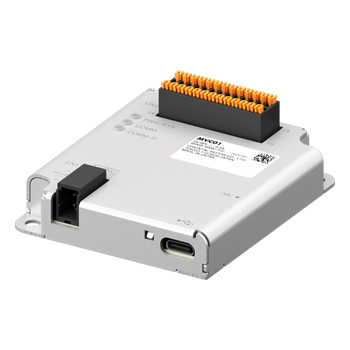
MVC01 Mobile Robot Controller
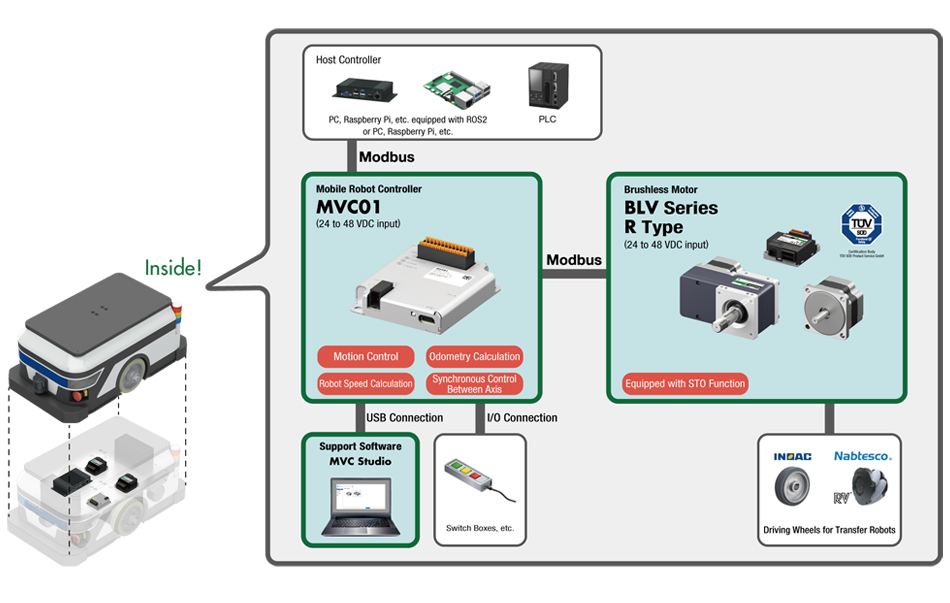
The MVC Mobile Robot Controller is equipped with a driving control function for AGV/AMR transport robots.
- Support from start-up to maintenance with dedicated PC software
- Output gyro odometry with built-in IMU
- Compatible with BLV Series R Type Brushless DC Motor
Robot Controller Lineup
Item |
Network |
Power Supply |
|---|---|---|
MVC01 |
RS-485 |
24 ~ 48 VDC |
Controller for Transfer Robot Useful for In-House Production and Development of AGVs/AMRs
In the in-house production and development of AGVs/AMRs, it is usually necessary to implement kinematics corresponding to the robot's wheel structure. It is necessary to distribute speed to each motor according to the respective mechanism, such as differential drive or mecanum wheels, a factor that has complicated the development of higher-level software.
The MVC01 internally processes these differences in movement mechanisms, allowing the robot to be controlled from a host controller using only simple speed commands.
Supported Speed Command
- Forward Translational Speed
- Lateral Translational Speed*
- Rotation Speed
*Only for robot types capable of moving in all directions, such as those with mecanum wheels.
Compatible Products
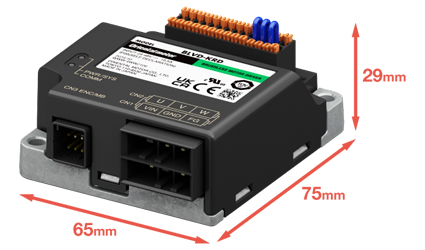
Brushless DC Motor BLV Series R Type
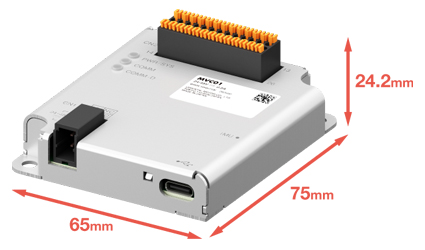
Its compact size fits even in tight spaces. It is equivalent in size to the BLV Series R type driver.
Mobile Robot Controller
Mass: 60 g
BLV Series R Type Driver
Mass: 120 g
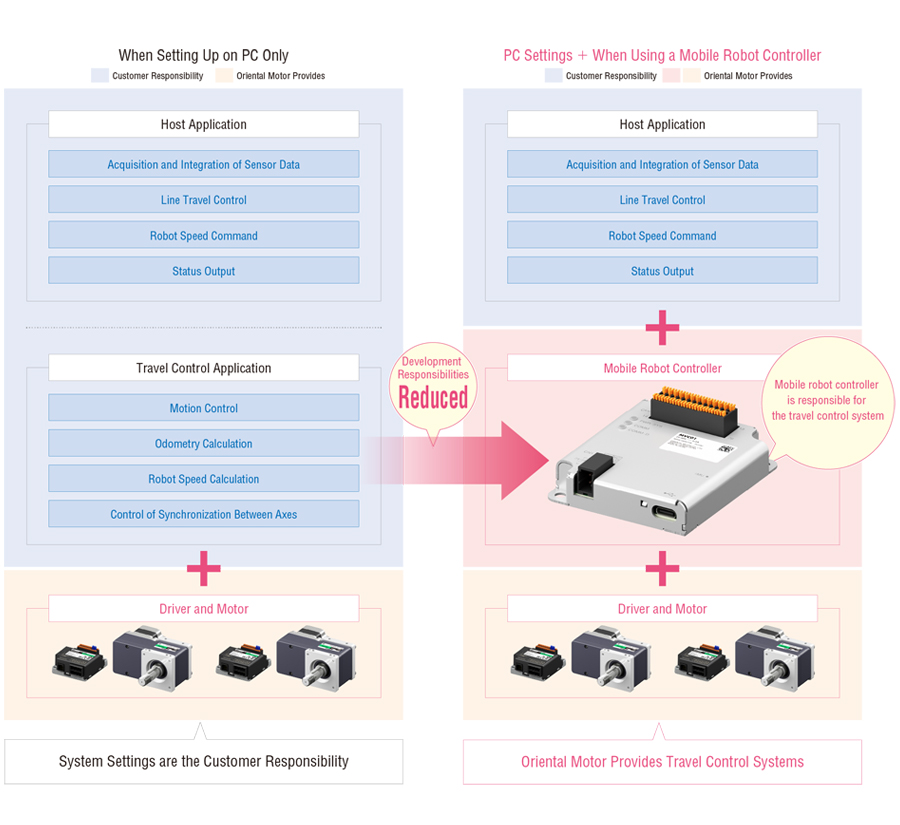
Reduces the Burden of Software Development by Sharing the Role With Host Controllers
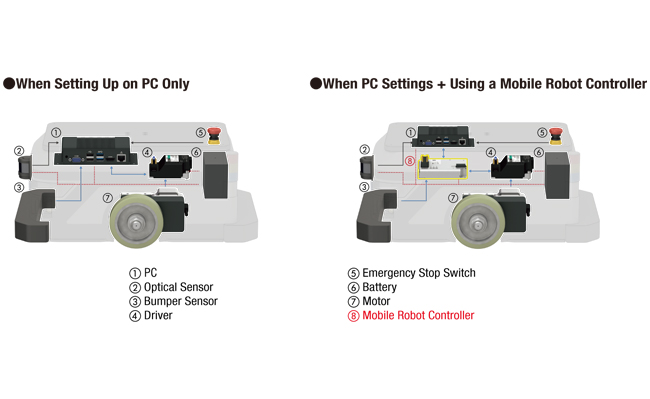
Mobile robot controllers are equipped with travel control functions necessary for AGV/AMR driving. The mobile robot controller performs calculations for each wheel and control of synchronous between axes, thus reducing the burden of software development and start-up time.
Modularized Travel Control Functions for Transfer Robot (AGV/AMR)
Controlled by Host Controllers Only |
Controlled by "Host Controllers + Mobile Robot Controller" |
|---|---|
Host controllers are responsible for both host application and travel control application |
[Role sharing] |
Large software design burden |
Small software design burden |
Component Comparison (For AMR)
Application Comparison (For AMR)
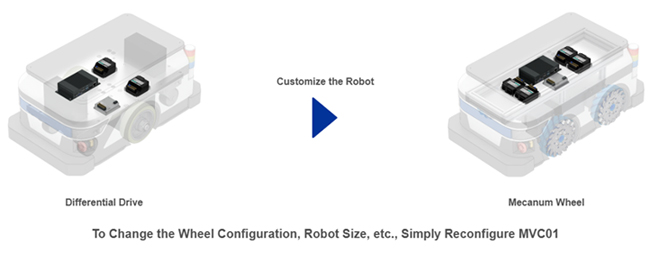
Improved Customizability of Wheels, Drive Systems, etc. Through Modularization of Travel Control Functions
If all software is developed in ROS, the ROS program must be changed when the mechanism is customized, such as when wheels are changed, which increases the burden of updating. By using the MVC01 for travel control, wheel mechanism settings can be performed in MVC Studio, so wheel management on the host side is unnecessary. As a result, modifications to the host program can be kept to a minimum even when the mechanism is changed.
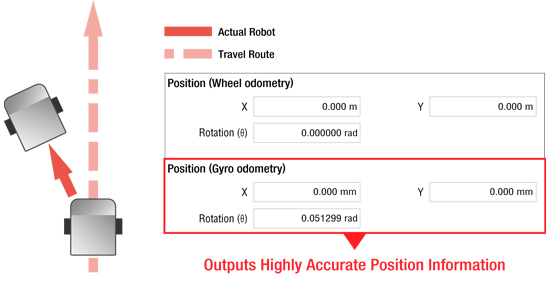
Slip Detection Through Accurate Position Information Acquisition by IMU
With a built-in IMU, the mobile robot controller can output position information calculated by gyro odometry. Gyro odometry is a method of estimating position information from the encoder data of the IMU and motor. When moving on uneven terrain, slippage can easily cause errors in the actual robot and position information, but the IMU can output more accurate position information.
 |
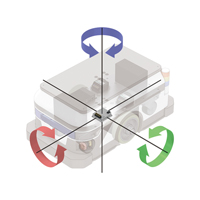
Inertial Measurement Unit (IMU)A sensor that combines an acceleration sensor and a gyro sensor. Detects 3-dimensional inertia motion (Translational and rotational motion of three cartesian directions).
|
Free Support Software MVC Studio

Software that supports from start-up to maintenance of the mobile robot controller is available. In addition to setting and editing various parameters, various statuses can be monitored. The software is available for free download.
Follow the Guidance to Complete Initial Settings Without Getting Lost
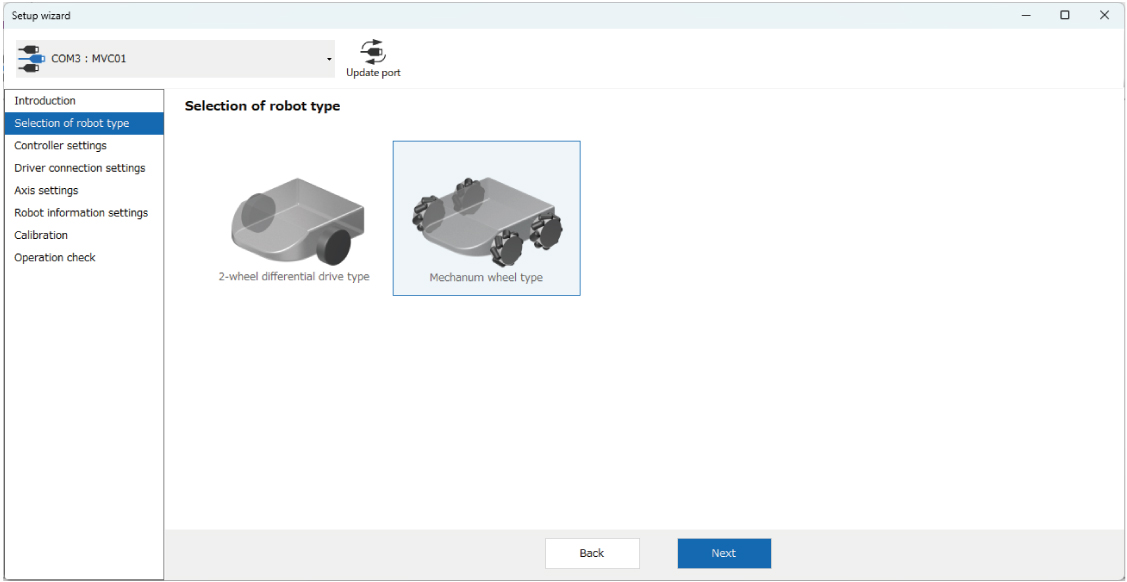
A series of initial settings, such as selection of drive system (2-wheel drive, 4-wheel drive, etc.) and input of mechanism information, can be performed in a wizard format. By following the guidance and illustrated instructions, even first-time users can complete the settings in a short time.
Follow the Steps to Set Up
Follow the wizard menu to proceed with the initial settings of the robot.
[1] Selection of Robot Type
Select 2-wheel drive or 4-wheel drive
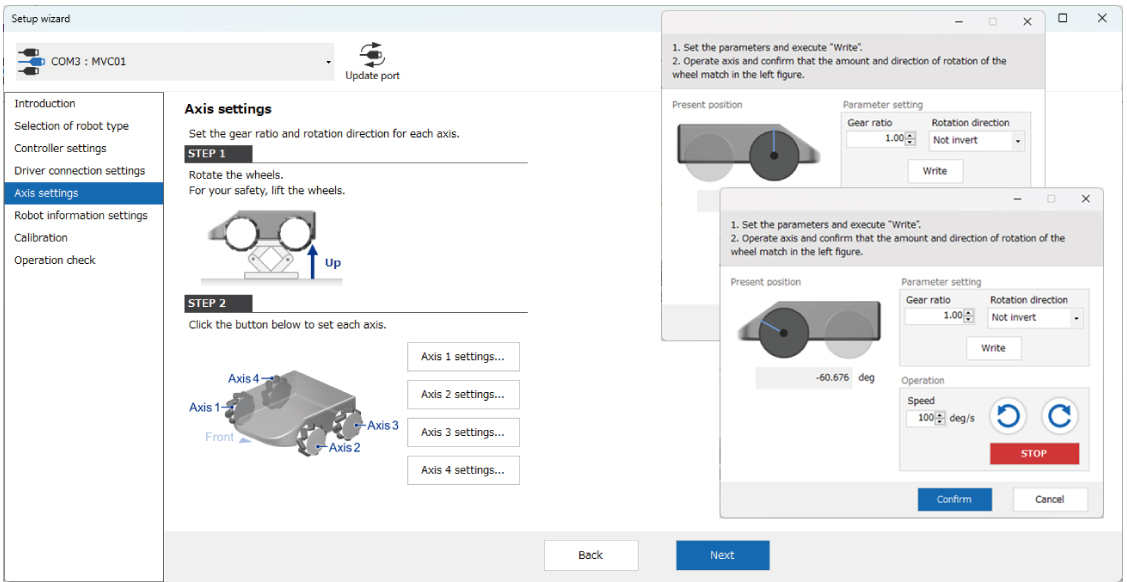
[2] Axis Setting
Set gear ratio and rotation direction for each axis
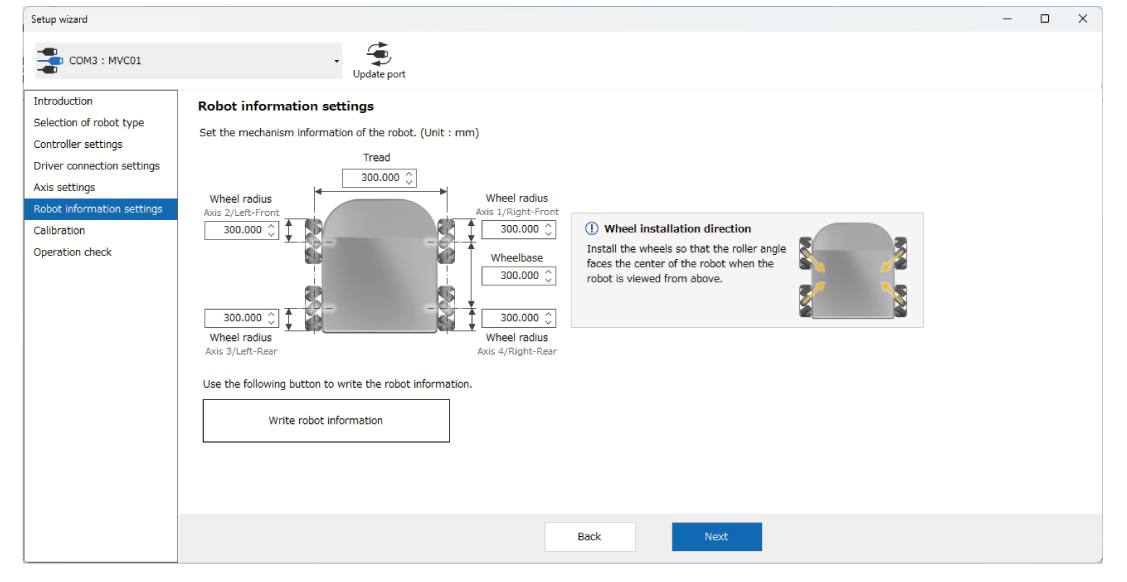
[3] Robot Information Settings
Set robot mechanism information
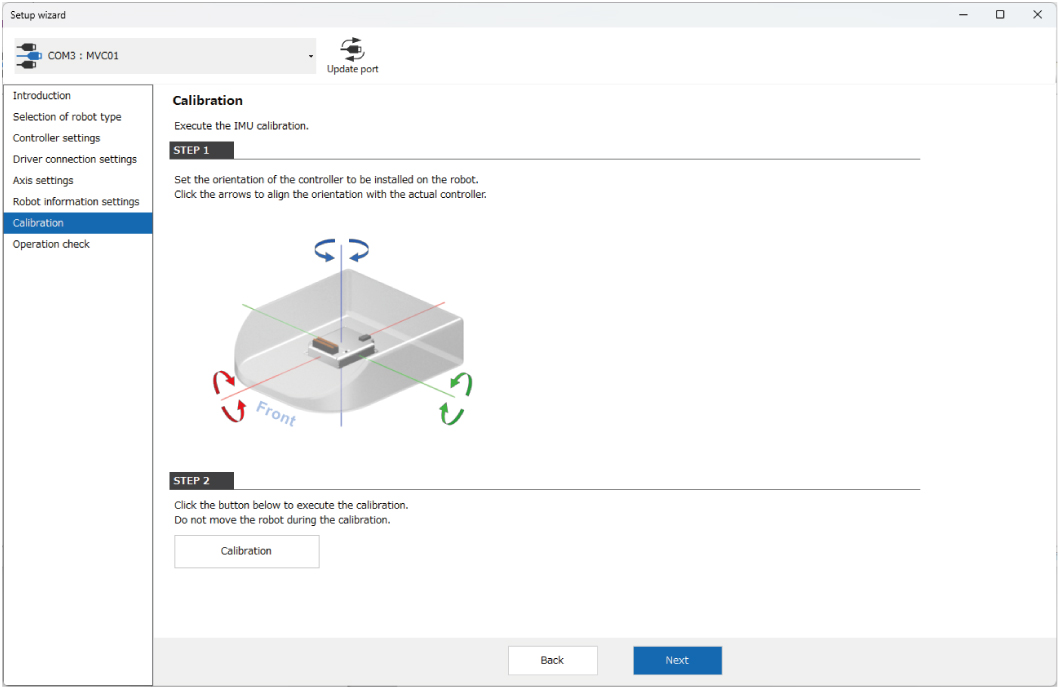
[4] Calibration
Calibrate the IMU
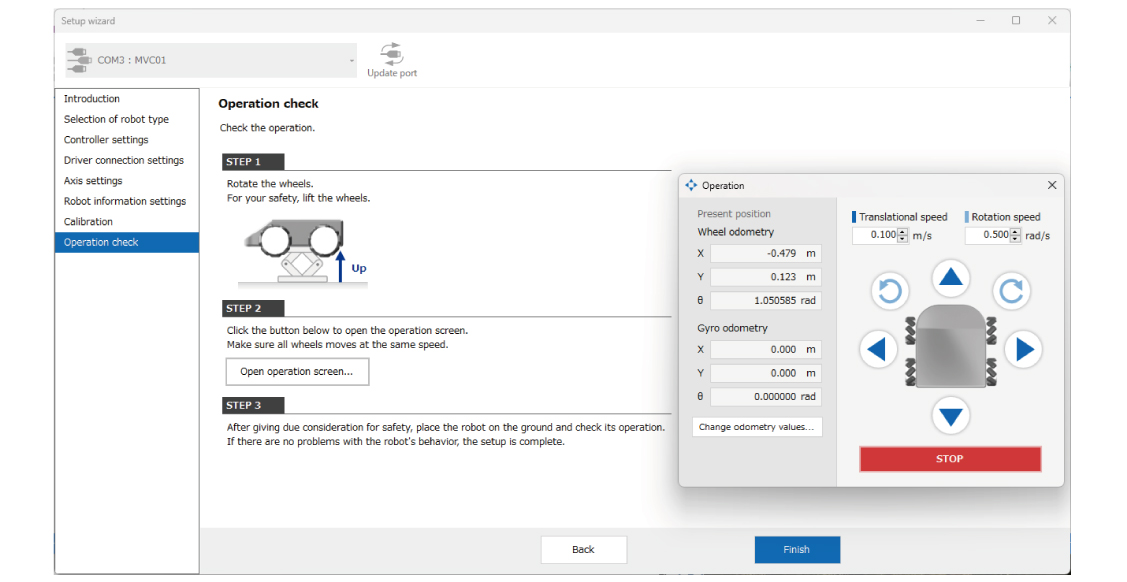
[5] Operation Check
Perform test operation
Parameter Setting and Monitoring Function for Start-Up and Maintenance
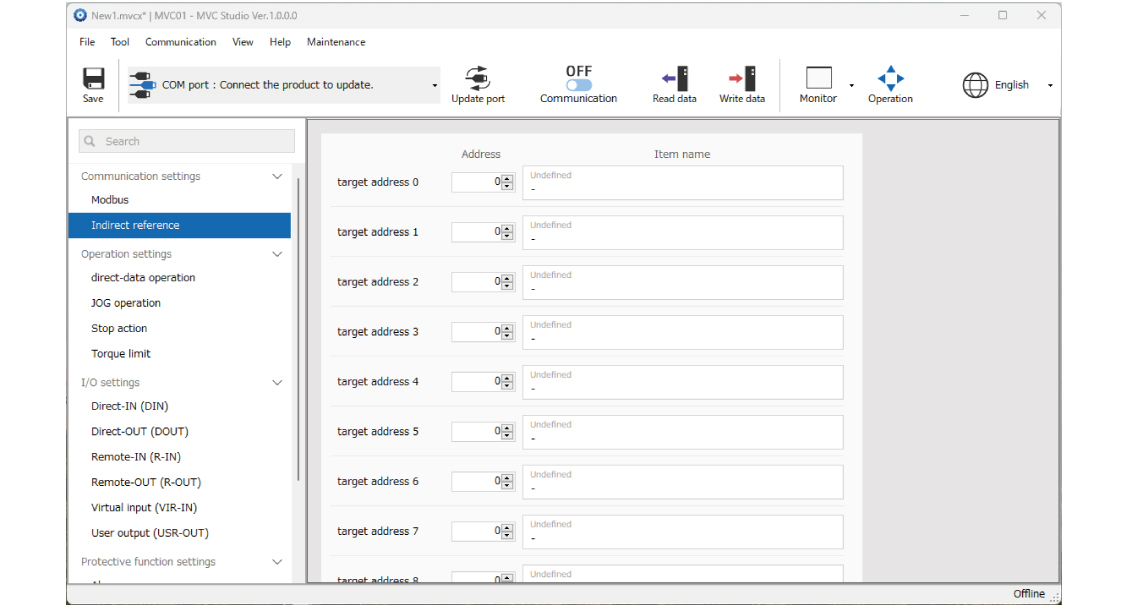
Parameter Setting
The configured data can be saved on a PC so that the same settings can be used even if the controller is replaced.
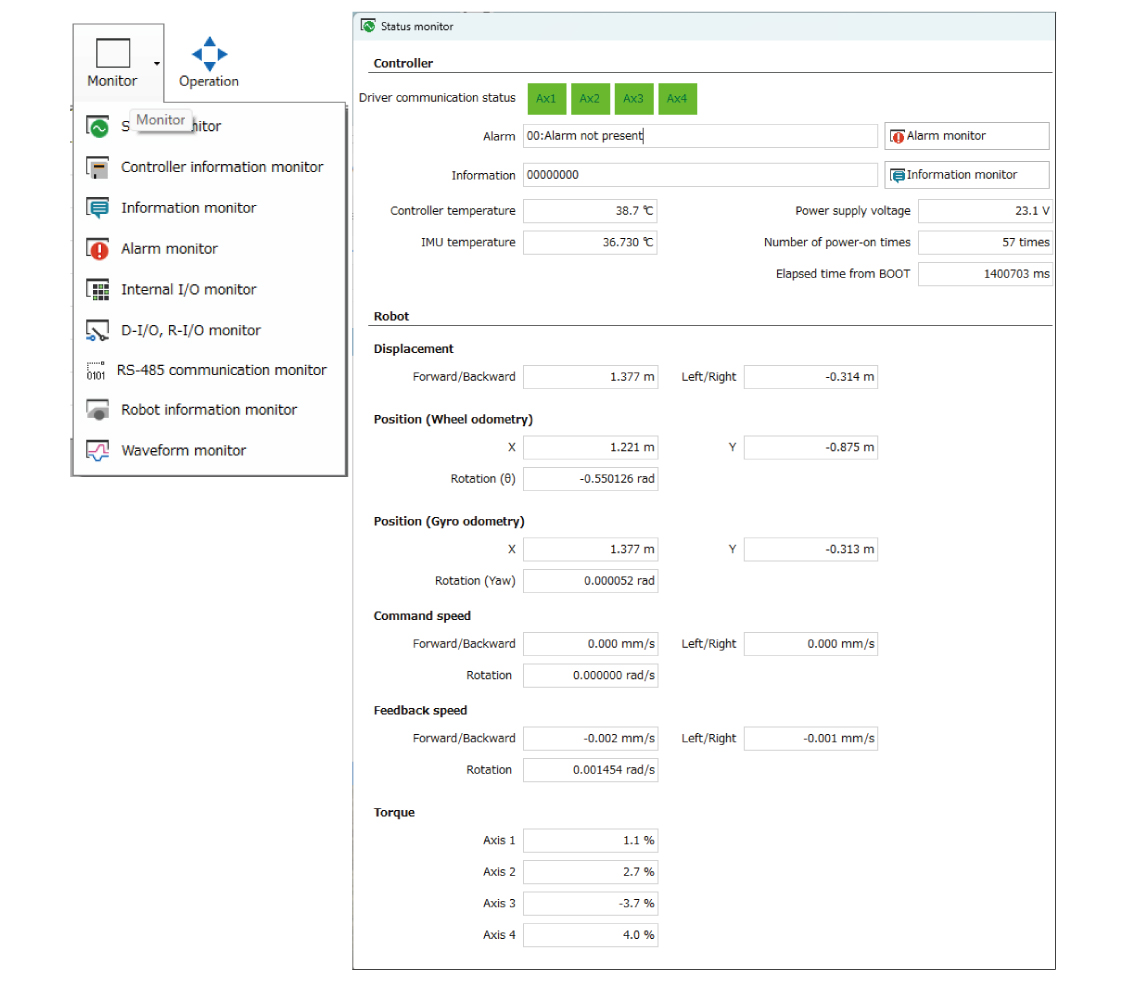
Monitoring Function
Robot position, speed, I/O signals, alarms, etc. can be monitored.
ROS 2 Compatibility
ROS 2 (Robot Operating System 2) is an open-source middleware framework for robot development. Using ROS 2 allows complex controls to be built easily and offers benefits such as highly reliable communication and real-time support. It can also be utilized in a wide range of fields, such as industrial robots, inter-process transfer robots, and service robots. MVC01 supports ROS 2.
You can download the following ROS nodes, manuals, and sample code.
- Create and submit queries
- Receiving a response
- Data distribution
Please provide your own ROS unit and the necessary adapter cables for connecting it to your PC. This document is intended for individuals with expertise in ROS and Linux. Support is not provided for inquiries regarding ROS installation, usage, or Linux. Some of our products include electric actuators that are integrated into the series.
In-House Production Case Studies
In-House Production Case Study of AGV (Automated Guided Vehicle) – Automation of Manual Handling Processes
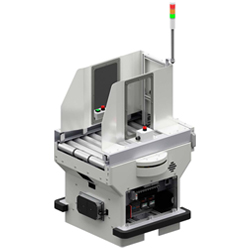
We developed the AGV in-house, aiming for inline automation. We were able to reduce system development costs compared to off-the-shelf products.
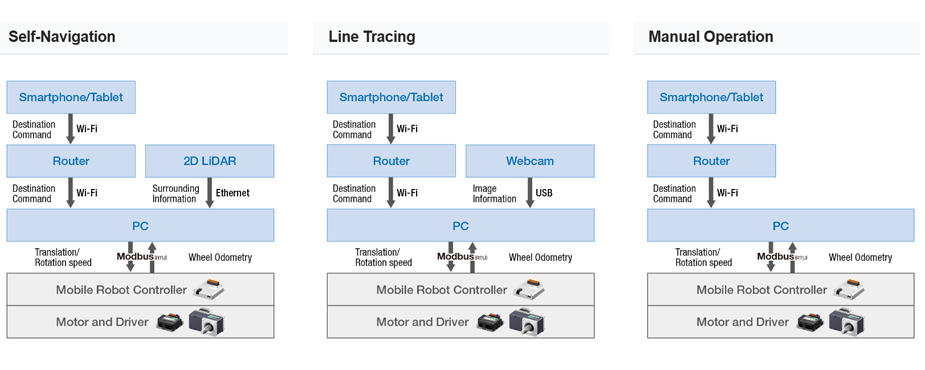
Example of a Transfer Robot built using ROS 2
We will introduce an example of a transfer robot in operation built using ROS 2.
Self-Navigation |
Line Tracing |
Manual Operation |
|
|---|---|---|---|
Features |
Performs self-navigation by estimating its position based on factory maps. |
Recognizes vinyl tape on the floor with a camera and travels steadily along a set route. |
Drives via remote control from a smartphone/tablet app. Supports flexible operations, such as prototyping and operation checks. |
Implementation Costs |
High |
Low to medium |
Low to medium |
Suitable Environments and Applications |
• High-mix, low-volume production |
• Long-distance, heavy-load transport |
• Prototype line |
Self-Navigation
Self-navigation to the destination while avoiding obstacles
Line Tracing
Stable travel along floor lines
Manual Operation
Remote driving via app operation
Comparison of System Configurations
I/O Cables
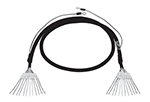
It is a general-purpose multi-core cable convenient for connection between the driver and host controller.
Item |
Lead Wires |
Length |
6 |
0.5 m (1.65 ft.) |
|
1 m (3.3 ft.) |
||
1.5 m (4.9 ft.) |
||
2 m (6.6 ft.) |
||
10 |
0.5 m (1.65 ft.) |
|
1 m (3.3 ft.) |
||
1.5 m (4.9 ft.) |
||
2 m (6.6 ft.) |
||
12 |
0.5 m (1.65 ft.) |
|
1 m (3.3 ft.) |
||
1.5 m (4.9 ft.) |
||
2 m (6.6 ft.) |
||
16 |
0.5 m (1.65 ft.) |
|
1 m (3.3 ft.) |
||
1.5 m (4.9 ft.) |
||
2 m (6.6 ft.) |
MVC Studio Software
The MVC Studio software supports users with everything for the mobile robot controller MVC01 from start-up to maintenance. In addition to setting and editing various parameters, various statuses can be monitored.
Accesories
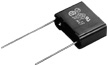
CR Circuit for Surge Suppression
System Configuration
CAD / Manual Search
To locate product CAD and Operator Manuals please search using the product Item Number.
Downloads
Brushless DC Motors
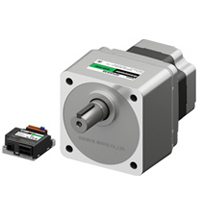
MVC Studio Software
Video
Case Study
Product Brochure