
Products
Solutions
Technical Information
Motor Sizing
Downloads
Contact Us
Industrial Robots > Technology > SCARA Robots Motor Assembly Demo Case Study
Case Study - SCARA Robots Motor Assembly Demo
For this case study, our application engineering group combined 2 OVR Series SCARA robots and MRCU robot controllers with EZS & KR Linear Slides and EH Series Electric Grippers for end effectors to demonstrate picking and placing coordination in a tight workspace assembling a stepper motor.
- Intro
- Area Outputs
- Low Profile SCARA
- Full 360° SCARA
- Z-Axis
- Tool Offset
- Electric Gripper
- MRC Software
- Support
Area Outputs
Setting Workplace Zones to Avoid Collisions
The MRC controller allows 2 types of area outputs:
1) Area[]
2) Area[]-AX
In this demo, these area outputs are combined to divide the entire workspace into 4 zones (shown below).
Each robot can avoid collisions by entering a zone only after confirming that no other robots are present.
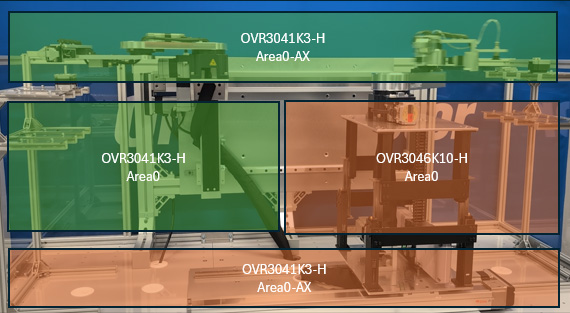
Area Output
These output set how the controller operates when the command position of the TCP enters the user-defined area.
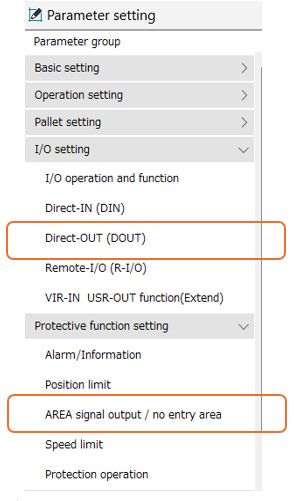
AREA0 to AREA4 outputs: The AREA output is turned ON when the command position of the TCP is within the range set in the “User-defined area” parameter.
It is turned ON when the command position of the TCP is within the range of the user-defined area even while the robot stops.
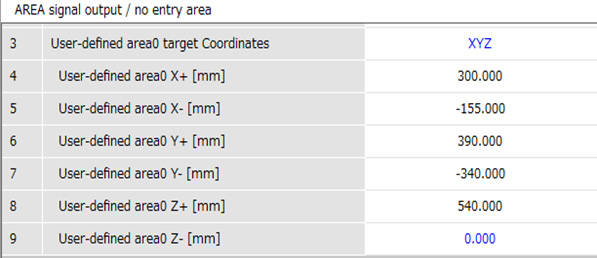
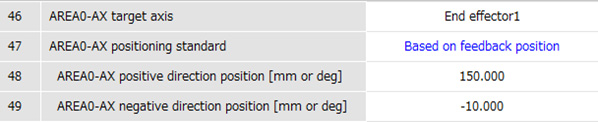
AREA0-AX to AREA2-AX outputs: When the axis position selected with the “AREA-AX target axis selection” parameter is within the range set with the “AREA-AX positive direction position” parameter or “AREA-AX negative direction position” parameter, the output signal of the corresponding axis is turned ON. It is turned ON even if operation is stopped.
In this demonstration two SCARA robots are working together. The AREA output allow the other robot to know where the TCP of the robot present.
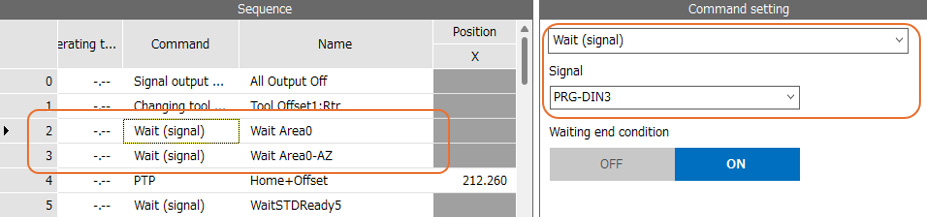
Using the “WAIT (Signal)” command before the robot enters that area will help prevent collisions.
MRC Studio Command Setting
MRC Studio Parameter Setting
MRC Studio Area0 Range Setting
MRC Studio Area0-AZ Range Setting
Learn More About The Products Used
OVR Series SCARA Robots
|
MRCU Integrated Robot Controller & Drivers
|
MRC Studio Robot Software
|
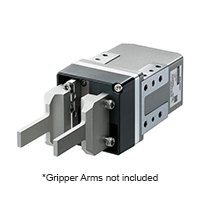
EH Series Gripper
|
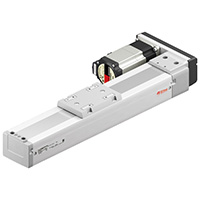
EZS Series Linear Slides
|
AZ Series Step-Servo Motors
|
THK Linear Slides
|
|




We're Here to Help

On Demand Webinar

Industrial Robots


